Inappropriate ContentDefinition: any material that is disturbing, improper, and just plain wrong for children; anything that is not normal for a child to view such as:
|
|
Safety & Legal Issues
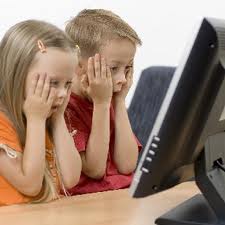
Inappropriate content posses a safety risk in that it can cause mental and emotional damage to children of any age, especially very young children. It can cause them to have nightmares or a change in behavior, more so if the content was very vivid. Any child who knowingly posts any inappropriate material can be suspended or expelled from school; it can also be punishable by law at a felony level depending on the crime that was committed.
Tips for Students
- Never give out personal information such as: name, home address, phone number, school.
- Inform a parent, teacher, or any adult that you trust if any inappropriate content has been seen and where it was found.
- Never agree to meet anyone in person, who you do not know, that you have met online.
- Never post, text, or send out something that you wouldn't want your parents to see. Anything you post goes public/worldwide. Think before you click.
Tips for Educators

- Keep the computers in a well lite, and open space, where the monitor is easily visible.
- Know the school's internet safety policies and rules in order to abide by them.
- Post safety tips posters, from the CTAP website, next to each computer in the classroom as reference for each student
- Education is Key! Teach your students not to open or download anything from unfamiliar sources
Tips for Parents

- Talk to your child about what kind of material is not appropriate to view of send out to others. Helping your child understand why it is important is key.
- Install web filtering software and parental controls on your computer to help shield your child from the content. Always keep the software up-to-date.
- Always supervise your child while they are on the computer.
- Educate yourselves on how to use technology properly. Find tips, such as typing Ctrl+H to view the history of a child's whereabouts on the computer.